
Your transaction history displays a list of all transactions under your account and fleets. Use your transaction history to view records of transactions.
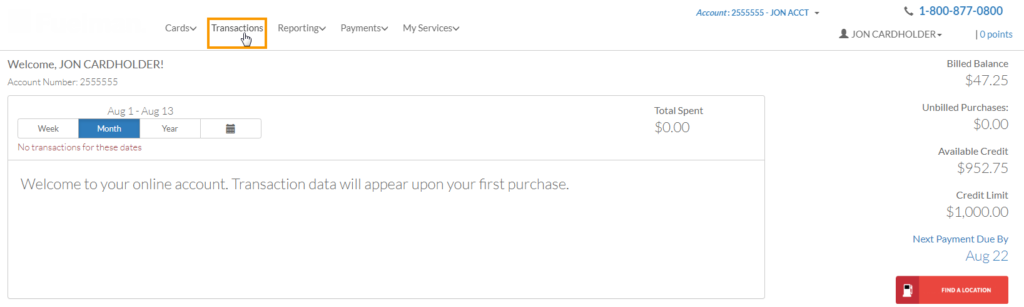
1. Select Transactions in the main navigation bar.
Note: If you have access to multiple account and fleets, ensure the correct options are selected at the top of the home page.
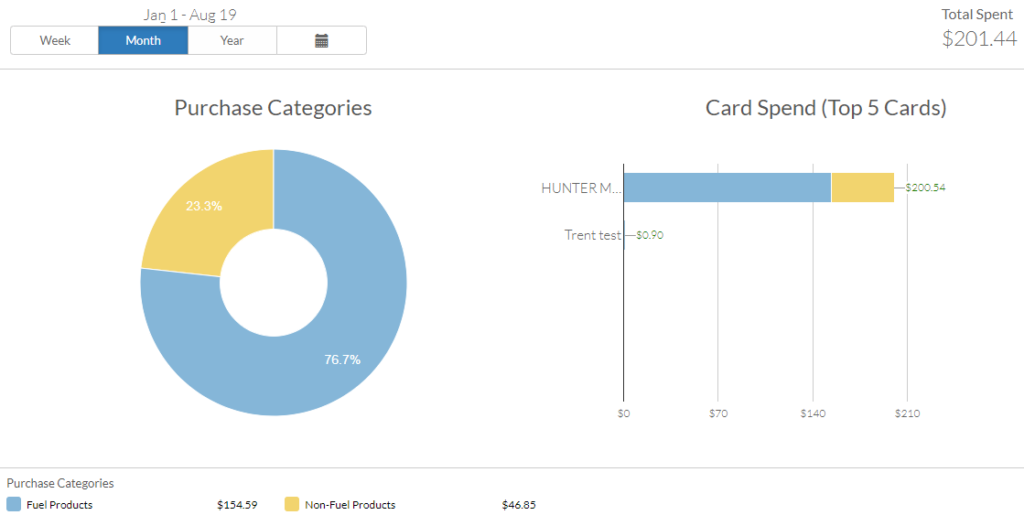
Alternatively, you can click a section of one of the graphs on the home page. The Transactions page will filter your list of transactions based on your selection. For example, if you click the Fuel Products section on the pie graph, only fuel transactions will display on the Transactions page.
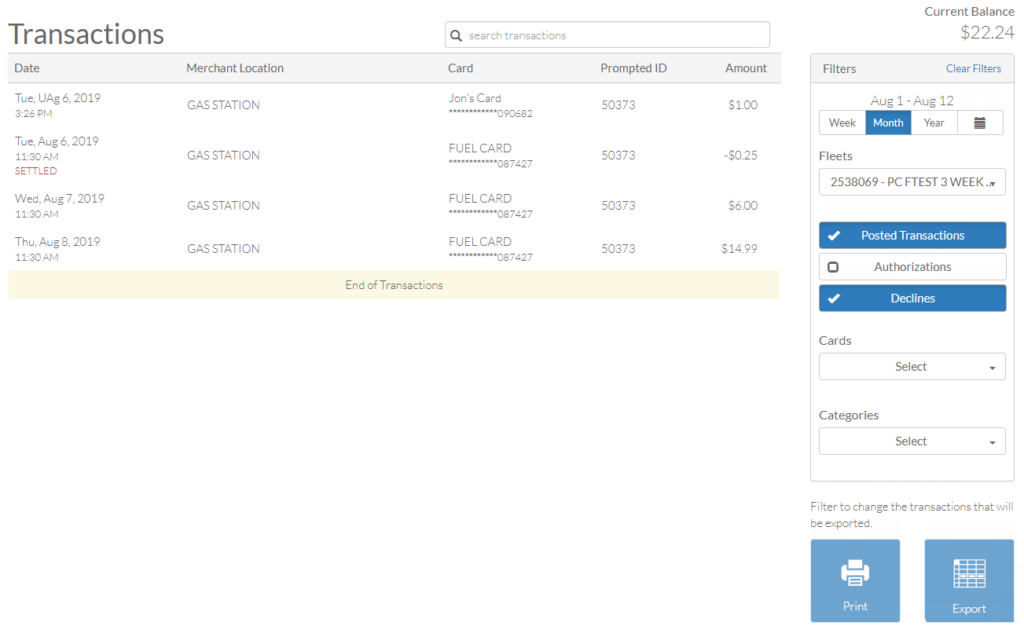
2. The Transactions page opens with a list of transactions under your selected account and fleet.
| Field | Description |
|---|---|
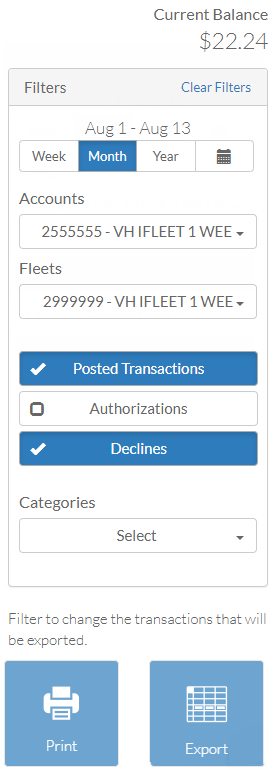
| Date Range | Select a date range of transactions to view (week, monthly, or year). The default is monthly. Use the calendar icon ( ) to select a custom range. ) to select a custom range.Note: You can view only up to 14 months of transaction history. |
| Accounts, Fleets | Displays only if you have multiple accounts and fleets. |
| Posted Transactions, Authorizations, Declines | Choose to show or hide a transaction type. For example, select Decline to show declined transactions and deselect Posted and Authorizations to hide those transactions. |
| Cards | Select one or multiple cards to view transactions for specific cards. |
| Categories | View transactions by a product category: Fuel Products, Non-Fuel Products, or All Products. |
| Print your transaction view including any filters. | |
| Export | Export your transaction view including any filters to an Excel spreadsheet. |